
bredchosting.com logo 125x79
Example: mywebsite.com

Using the Modal from Regular Labs gives you the opportunity to extend your content, image, video, or an external link into a popup that displays it.
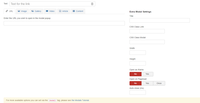
 

Extension info

OUR RATING

  • Total Rating: 🔥🔥🔥🔥
  • Functionality: 🔥🔥🔥🔥
  • Ease of use: 🔥🔥🔥🔥
  • Support / Documentation: 🔥🔥🔥🔥


regularlabs modal prreview

The word Modal implies "relating to mode or form as opposed to substance", and this is actually what it does. The Extension Modal from Regular Labs is useful for displaying pop-up content on your page. We use it for our articles, to display information about the author.

Some of Modals features

  • Image modal
    If you have an image that is large, you can use this extension to popup a larger image of the displayed _thumbmail. This is very useful when dealing with large images with high contrast, you can then easily connect the image to a modal and have the user click for a larger version (See the image on right). 
  • Popup external links
    This feature is handy if you have links to external sites, but don't want the reader to leave your site. (You cannot open non-SSL (http) urls inside a SSL (https) website, nor can you  open SSL (https) urls inside a non-SSL (http) website).
  • Create an image gallery
    With Modal, you can easily insert a image gallery.
  • Link content directly
    If you don't want to create an article for your content, you can simply create it on the fly
  • Articles
    If you in the other hand has created an article, and want to display it in a popup, you can do so
  • Display Videos
    You can easily include videos from sites like YouTube, Vimeo, and others in a popup window when the reader clicks a link.
  • Auto-load
    The Auto-load can be used for popups when someone enters a page. (Auto Popups are annoying, and not recommendable) 


Advantages
  • Free (Basic functions)
  • Easy to use
  • Have great documentation
DisAdvantages
  •  Only have support for URLs in the Free version


More information about Regular Labs

Regular Labs is a company that creates and offers extensions for the Joomla content management system (CMS). They have been in business since 2008 and have a wide range of extensions that can be used to extend Joomla's functionality and make repetitive tasks easier and faster.

Some of their most popular extensions include:

Advanced Module Manager - This extension allows you to easily manage your modules, including their position, visibility, and settings.
Modules Anywhere - This extension allows you to place modules anywhere on your Joomla site, including in custom areas that are not ordinarily accessible to modules.
Sourcerer Sourcerer - This extension lets you easily import and export Joomla content, including articles, menus, and categories.
Regular Labs extensions are known for being high-quality, well-supported, and easy to use. They are also very affordable, with most extensions starting at just $15.

If you use Joomla, I highly recommend checking out Regular Labs extensions. They can save you a lot of time and hassle and help you make your Joomla site look and function how you want it to.

Here are some additional information about Regular Labs:

  • Their website is https://regularlabs.com/
  • They have a team of 10 developers and support staff
  • They have over 1 million downloads of their extensions
  • They are certified Joomla! partner

Source Google Bard 2023

All Regular Labs extensions:

If you use Regular Labs' Extensions, you may have noticed the way that the extensions interact with each other. This is good for consistency. Regular Labs and Peter van Westen have, over the years, in an ingenious way, mastered the genius way that its Components/Plugins work together. 

Extension list:

Add to Menu (Only Joomla 3), Advanced Module Manager, Advanced Template Manager (Only Joomla 3), Articles Anywhere, Article Field, Better Frontend Link (Only Joomla 4 & 5), Better Preview (Only Joomla 3), Better Trash (Only Joomla 3), Cache Cleaner, CDN for Joomla, Components Anywhere (Only Joomla 3), Conditional Content, Content Templater, DB Replacer, Dumy Content (Only Joomla 3), Email Protector, GeoIP, IP Login, Keyboard Shortcuts, Modals, Modules Anywhere, Quick Index, ReReplacer, Simple User Notes (Only Joomla 3), Sliders (Only Joomla 3), Snippets, Sourcerer, Tabs (Only Joomla 3), Tabs & Accordions (Only Joomla 4 & 5), Tooltips (Only Joomla 4 & 5), and "What? Nothing!", see the complete list here!


All is managed through its extension Regular LabsExtension Manager.


Comments wanted

- LET ME KNOW IF YOU KNOW ANY OTHER WAYS TO DO THIS IN THE COMMENTS BELOW -


No comments

Leave your comment

In reply to Some User
  • Introduction to Joomla Content Editor (JCE)

    The Joomla Content Editor (JCE) is a powerful extension designed to simplify and enhance content creation within the Joomla content management system. Joomla’s default editor options can be limiting, especially for users who need more control over...

  • Joomla is a widely-used, open-source content management system (CMS) recognized globally for its flexibility, scalability, and ease of use. It powers millions of websites ranging from personal blogs to large-scale corporate portals and government websites. Joomla provides a robust framework that...

  • one name consistently stands out when discussing Joomla website backups: Akeeba Backup. Developed by Akeeba Ltd.. Whether you are managing a personal blog or a commercial enterprise website, safeguarding your data is paramount, and Akeeba Backup rises to this challenge with robust features,...

  • Creating a form using RS Form in Joomla 5 is a straightforward process.

    Follow the steps below to create your form easily:

    Step 1: Install RS Form

    1. Log in to your Joomla 5 administrator panel.
    2. Navigate to Extensions > Manage > Install.
    3. Upload the RS Form package file and click on Install.

    Step 2:...

  • Discover the truth behind Joomla!, the renowned content management system empowering countless websites globally. Unraveling prevalent misconceptions, this article delves into Joomla! 's functionality and user-friendliness to offer valuable insights. By debunking the top ten myths surrounding...

  • The Failed Login Attempts plugin gives you an overview of your failed logins, but you can make it even better by applying a simple override. The override provides a link to more information about who has tried to log in, and you can therefore use other extensions to block the user or take...

  • You’ve probably heard that Joomla is a “free” platform. That’s true, but it doesn’t tell the whole story. You can download the software for free, and you can host Joomla sites for free on specific hosting platforms. However, if you want the best possible performance and security, you’ll need to...

  • Subform fields are mighty, but did you know they look like a list? - Here, I will show you how you can spice up the look of your Subform.


    Although Subforms are not a new feature in Joomla 4 but were available already in Joomla 3, in Joomla 3, they were introduced as "Repeatable-Fields". But...

  •  In Joomla, it is relatively easy to create CSS overrides. If you would like to change the color of the Invalidate Cache button, you can read on.


    How to create a CSS override in Joomla 4 Administrator (Atum - Template)?

    Joomla is built with the intention of user customization of how it looks. CSS...

  • In Joomla 4, we were introduced to “subforms”, which are great for creating more user-friendly fields for your articles or page, containing the fields in the subform.


    The problem is that when you create a subform, the fields in the subform are divided by a comma. This doesn’t look good on your...

  • With the ability to use extensions in Joomla, it is often prevalent to install more extensions than necessary; this will usually result in a slower site. So here are my recommendations for the ten best Joomla extensions every Joomla site should have.in 2023.

  • The backend of Joomla can be very boring to look at. You can customize it as you like, by adding and replacing modules on the page.


    When you install the Joomla 3.x out off the box, you get two backend templates preinstalled, the main and mostly used template is Isis, this will be used in this...

  • JCE Editor is the best and most used Editor in Joomla; only TinyMCE as the core editor can beat it. Every Joomla site should have the JCE Editor installed because it is free and easy to use.

  • Having a good web hosting solution for your sites, either it is static or based on a CMS like Joomla, WordPress, or others, you have a lot of considerations to take into a factor. I will try in this article to guide you in the right direction towards modern hosting in 2022.

  • When you have a new Joomla Installation, the most annoying thing is that it doesn’t work as you would prefer. You may end up spending hours after hours trying to find the fault but end up banging your head in the wall. Here are 3 common reasons why your site Joomla site isn’æt working.

  • Is it possible to do things in Joomla Backend that is considered a hack! This tip from Basic Joomla is the answer, Yes!, there are several hidden possibilities in Joomla if you put your fingers into it.? - Here is how to use a hack for doing better Menu separator in Joomla. Here are two ways to do...

  • The dark mode is the new Black, and it keeps your eyes from getting light exhausting. And it also looks great in the browser. The Dark mode is not native in either Joomla 3 or Joomla 4 (as of my knowledge). But there is a solution if you don’t want to use a plugin for your browser. You can simply...

  • One of the most common mistakes when creating a new Joomla site is not securing the Joomla-site both with Backup and Security Extensions. Having up-to-date security is essential for every site on the Internet, whether it’s a plain HTML site or a complex CMS system like Joomla or WordPress offers. But...

  • There are many Extensions for Joomla, both free and with a paid license. But there are a few that should be mandatory for every installation of Joomla. I will here make a list of those I think is essential when you start a website.

  • In Joomla, it’s possible to use CSS more effectively than most people realize. You can, if wanted personalize each page just by adding a CSS class to the menu link.


    Joomla offers in most modern templates the ability to target either the title or the page’s alias. It makes customized CSS very easy,...

  • Let's state it once and for all, the backend in Joomla is quite boring, but what if you can give it a more interactive and interesting look. This is quite easy to do using the backend modules and CSS. 


    The reason for this article offsprings from a Youtube Video that shows the benefits of haveing an...

  • Is it possible to make content sliders using pure CSS & HTML only? - Read through and find out more. I will show you some smart tricks that make an awesome reusable slider using only HTMl & CSS.


    Have you ever written a long article with mutch specifications inside? - These articles have their way to become...

  • <

    CSS has from the age of the Internet been a part of doing websites. It is an easy but useful way to design an article. There are several ways to write CSS in Joomla, you can use an external file to store all CSS codes in, you can use an extension to include the code, or you can write CSS directly in the content. In this article, I will give some look into how I do it.


    In this article, I will show you three different ways to use CSS in an article. The easiest thing is to use an extension to add CSS to the article. There are several extensions in the JED (Joomla Extensions Directory) that gives this opportunity. One of the popular is Sourcerer from Regular Labs. But its also possible to do in-line CSS coding in every article, but this can be very ineffective in large articles, the third and maybe most used is to put the CSS codes into the template as eighter an external file or in the CSS capabilities of the template itself. In modern template-Framework is this common, the disadvantage of this is that you always need access to the backend to add extra CSS in your site.

    W3C CSS verifiedW3C CSS verified: W3c.org is setting the standards for CSS

    1 Code directly as you go (Hard coding the articles)

    If you prefer to do the CSS coding inline as you write an article, you must bear in mind that you will NOT be able to reuse the CSS on any other articles and you must repeat the same thing for every content with the same code. This could look like this:

    <a href="/home" style="background-color:#ff0000;color:#ffffff;">Home</a>

    This will output: Home

    2. Use an external file

    If you use an external file as a CSS source, it is normally located under the css folder in your template directory. And its usually called custom.css or user.css, the downside with this is that you need access to either FTP or bee logged in to the backend as a Super Administrator.

    3 Use an extension to add CSS code in the article

     If you want to use an extension to insert CSS in an article, you can not reuse the CSS codes without having it in every article that contains the same style.

    What do I recommend?

    A combination of the option 2 and 3, will give the easiest result and you can standardize some of the CSS styles in a file and add styles in that applies to certain articles at one addon at the end of the written article.

    Comments wanted

    - LET ME KNOW IF YOU KNOW ANY OTHER WAYS TO DO THIS IN THE COMMENTS BELOW -

  • Have you ever made a website with Joomla and you are getting the title "Home" with a large h1-header-tag? You can either hide the tag completely on all content, or you must specify it to be hidden on every page/article you make. There is a third and maybe smarter way to do this. 


    Joomla Menu options

    When you add a...

  • Have you ever been frustrated by styling a page for then realize that every image contains a white line underneath, I saw this trick on Youtube and tried it with Joomla. The result was that line disappeared. This issue resides from the early internet when we've to use inline images in the text.


    IN...

  • When you are about to change passwords in other ways that it's intended to do, you should always take in mind that it always is a security risk. You should therefore use extra care when you need to use these steps. These ways work in Joomla 2.5, 3.x, and 4.x. The tutorial is based on Joomla Docs.

  • A template is the holy grail of a CMS-system; it lays out the structure of your website. But it's always possible to tweak the content and make it look better. All Modules, Components, or Plugins in Joomla can be changed using overrides.


    Though many sites may look good with the Core template or a...

  • One of the most important things to have in mind when you deploy a new website is Backup policy. Akeeba Backup is a free Component from AkeebaBackup, which allows you to do secure backups and maintaining them for your Joomla site.

nordvpn