
Tutorials - Basic Tutorials

- Details
- Written by: Bjørn Ove Bremnes
- Parent Category: Tutorials
- Category: Tutorials - Basic Tutorials
A Joomla core update can fix bugs and important security problems, but updating safely involves more than clicking a button. For example, the Joomla 5.4.7 and 6.1.2 releases of 7 July 2026 included access-control and cross-site-scripting fixes, showing why timely maintenance matters.
Read more: Joomla Update Checklist Before Clicking the Update Button

- Details
- Written by: Bjørn Ove Bremnes
- Parent Category: Tutorials
- Category: Tutorials - Basic Tutorials
Joomla user registration deserves a deliberate security review before you invite visitors to create accounts. The most important question is not which CAPTCHA to select or how long a password should be. It is whether your site needs public, self-service registration at all. A school, club, or association with a small known membership may be able to create accounts through an internal process, while a public community may genuinely need visitors to register themselves.
This tutorial covers Joomla 6.1 and Joomla 5.4. It explains how registration, account activation, email delivery, user groups, password email, domain rules, and anti-automation controls work together. You will also learn why email confirmation establishes mailbox access rather than identity, why CAPTCHA cannot stop every spam registration, and why Joomla 6.1 administrators must be especially careful about patch levels when using Administrator activation.
The goal is a registration workflow that matches your membership requirements without granting unnecessary access or depending on a single security control.
Read more: Joomla User Registration Settings You Should Review

- Details
- Written by: Bjørn Ove Bremnes
- Parent Category: Tutorials
- Category: Tutorials - Basic Tutorials
Choosing between Joomla categories and tags is easier when you stop treating them as competing systems. In the core article workflow, every article needs one category, while tags are optional and an article may have several. A useful editorial rule is therefore: use a category for the article’s primary, stable location, and use tags for reusable topics or attributes that connect related content across that location.
This guide explains Joomla categories vs tags for content managers and bloggers working with Joomla 6 or Joomla 5. You will learn how each taxonomy works, how to plan a controlled structure, and how to build Category Blog, Category List, and Tagged Items pages. Adaptable examples cover blogs, documentation, article-based product information, and news portals. You will also find practical advice for permissions, archive quality, accessibility, SEO, maintenance, and troubleshooting—without assuming that either taxonomy automatically improves rankings or that every third-party component supports Joomla’s core taxonomy in the same way.
Read more: Joomla Categories vs Tags: When Should You Use Each?
- Details
- Written by: Bjørn Ove Bremnes
- Parent Category: Tutorials
- Category: Tutorials - Basic Tutorials
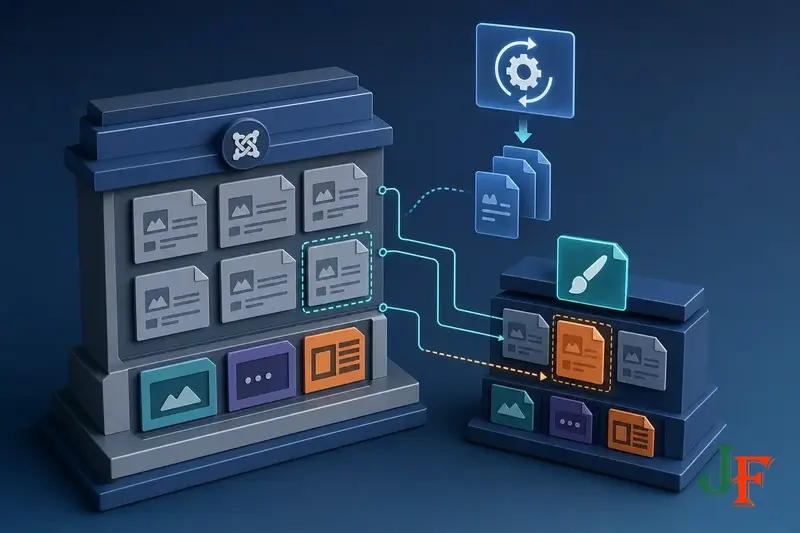
A Joomla child template lets you customize a site without editing every supplied file in the parent template. This is especially useful with Cassiopeia, Joomla’s supplied site template, because direct changes to Cassiopeia files may be overwritten by a later Joomla update. A child keeps its custom files separate while continuing to use parent files that it does not replace.
That separation makes child templates safer than editing the parent directly, but it does not make them maintenance-free. If you copy a parent file into the child, the child version takes precedence as a complete replacement. It can therefore hide later fixes or improvements made to the corresponding parent file. This beginner tutorial explains that inheritance model first, compares child templates with other Joomla customization methods, and then walks through a cautious Cassiopeia workflow: create a minimal child, add a small user.css change, test it on one menu item, and make it the default only after checking the result.
