
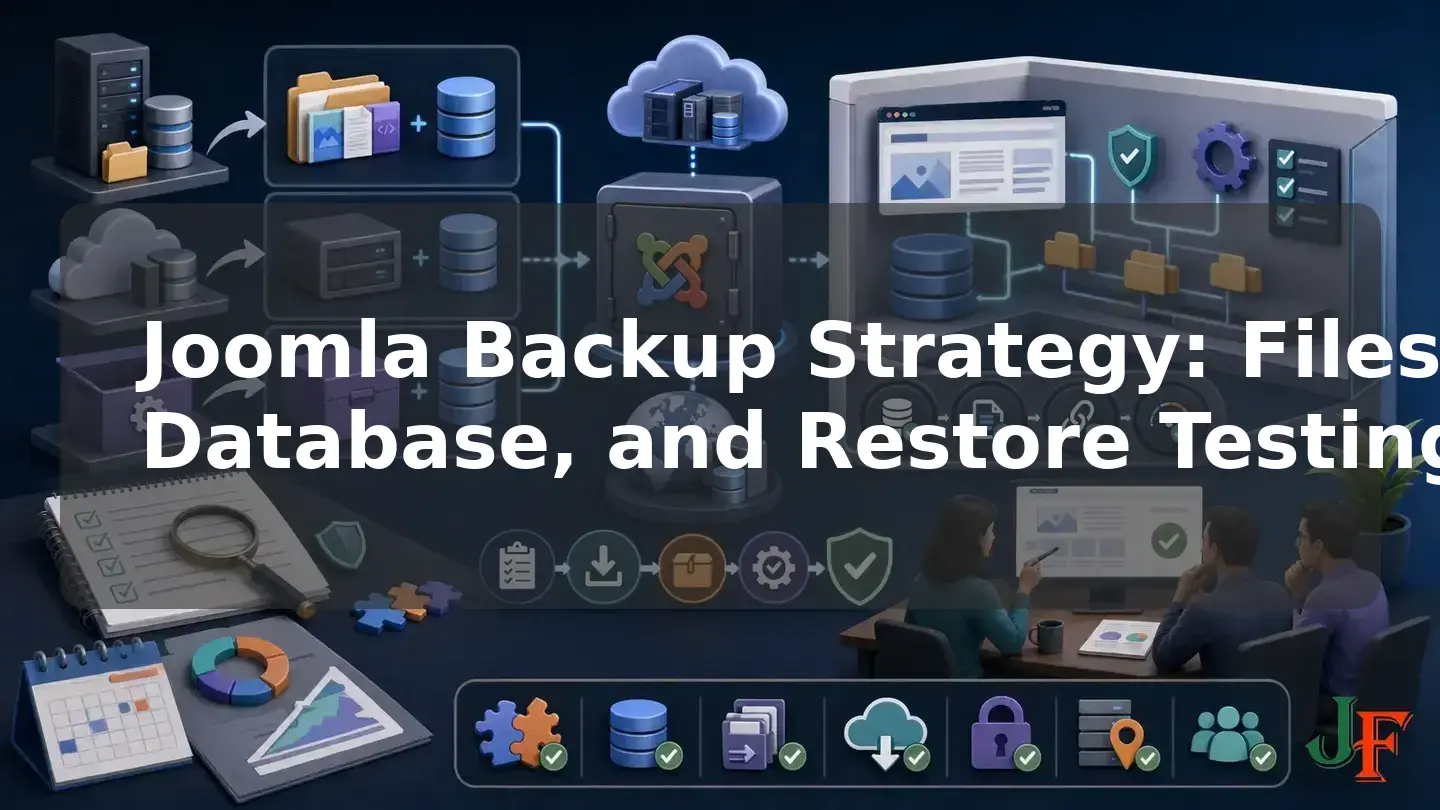
A successful backup job is not proof that a Joomla website can be recovered. It only shows that a tool, host, or administrator created something described as a backup. A dependable Joomla backup strategy goes further: it protects the required files and database, keeps multiple generations away from the production server, documents external dependencies, and periodically restores a selected recovery point in an isolated environment.
The restore test is the decisive step. It must prove that the archive can be retrieved, the data can be restored without corruption, administrators can sign in, essential site functions work, and recovery can be completed within the organisation's acceptable data-loss and downtime limits. Official Joomla guidance recommends practising both backup and restoration before an emergency, while broader recovery guidance warns that completing a restore operation without exercising the restored data does not demonstrate usable recovery. An untested backup is therefore a recovery hypothesis; a documented and functionally validated restore is evidence that the website backup plan works.
The central finding: recovery must be demonstrated
A dashboard showing a green status, a completed archive, or a successful hosting job is useful operational information, but it is not a recovery test. Joomla's legacy but still relevant backup guidance tells administrators to practise restoration instead of waiting for an emergency. The AWS recovery-testing guidance similarly identifies restoring without querying or retrieving data as an anti-pattern.
Operational rule: do not call a Joomla site recoverable until someone has retrieved a retained backup, restored it to an isolated target, tested representative data and functions, and recorded the result.
A meaningful test should establish that restored data is present, accessible, and uncorrupted. It should also compare the age of that data with the recovery point objective and the elapsed recovery time with the recovery time objective.
What a complete Joomla backup must contain

A complete Joomla backup has two inseparable technical parts:
- The database: this contains Joomla content and other records used by the site.
- The required files and directories: these include Joomla files,
configuration.php, installed extensions, templates, media, language overrides, and other site-specific files.
Omitting either part produces an incomplete recovery set. A database dump cannot recreate missing media, templates, or extension files. A file archive cannot recreate content and other data held in the database. This files-plus-database requirement is stated in Joomla's backup basics. Joomla's older Joomla 4.x CLI database exporter documentation also explicitly distinguishes a database export from the separate filesystem archive needed for a full-site backup.
Inventory dependencies outside Joomla
Do not assume that a normal files-and-database archive captures every service needed to operate the website. Record dependencies such as DNS, CDN rules, object storage, transactional email, payment services, identity providers, webhooks, and third-party SaaS data separately. For each dependency, document its owner, access method, configuration location, and recovery procedure.
Backup archives themselves are sensitive. They may expose Joomla configuration, database content, user information, and credentials. Restrict access throughout creation, transfer, storage, retention, testing, and disposal, following the multiple-copy and credential-protection principles in the UK National Cyber Security Centre backup guidance.
Joomla 5.4, Joomla 6.1, and older installations
As of 4 August 2026, the official Joomla Project Roadmap listed Joomla 6.1.2 and Joomla 5.4.7 as the current releases in their supported major series. Joomla 5 was in bugfix mode, with regular bugfix support scheduled through 13 October 2026 and security-only support through 12 October 2027. Joomla 6 accepted features in upcoming minor releases, with regular bugfix support scheduled through 17 October 2028 and security-only support through 16 October 2029.
The architectural backup principles also apply to older sites, but an old archive is not automatically portable to a current server. Before a restore, verify the CMS version, extensions, PHP runtime, database platform, web server, modules, and filesystem permissions required by that specific site. The official Joomla technical requirements should be checked for the target Joomla release. Extension compatibility is a separate question from Joomla Project support status.
Keep the database technology compatible with the source site. Joomla's backward compatibility policy does not support direct migration of a restored site between dependent database technologies such as MySQL and PostgreSQL.
Related guidance: check Joomla PHP requirements.
Define RPO, RTO, ownership, and acceptable loss
The correct backup frequency is not universally daily or weekly. It follows from the site's rate of change, business impact, detection delay, and two recovery objectives:
- Recovery point objective (RPO): the maximum acceptable age of the recovered data, expressed as the amount of data the organisation can tolerate losing.
- Recovery time objective (RTO): the maximum acceptable time for completing recovery and returning the required service to operation.
For example, a rarely changed brochure site may tolerate a longer recovery point than a membership, booking, publishing, or ecommerce site receiving frequent writes. That is an example of risk-based planning, not a universal schedule. Recovery tests should measure whether the actual restored data falls within the RPO and whether the complete process fits the RTO, as described by AWS recovery guidance.
Assign named owners for backup monitoring, offsite transfer, restore testing, credential custody, and incident decisions. Also identify a deputy. A plan that depends on one unavailable person or undocumented account is operationally weak.
Compare the three main backup methods
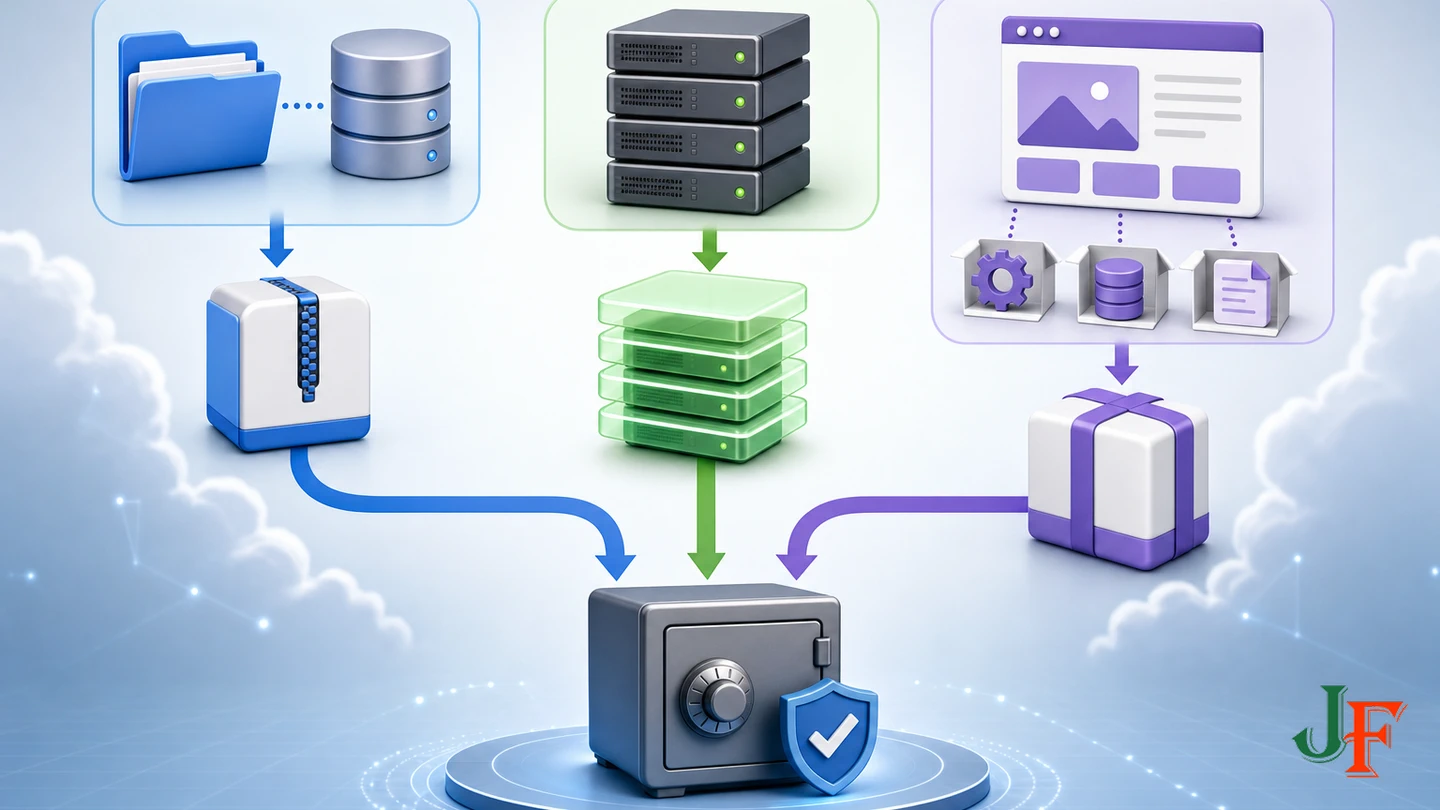
| Method | Advantages to assess | Questions and limitations |
|---|---|---|
| Manual files plus database | Direct control over the captured components and storage process. | Requires a consistent recovery point, secure transfer, documented restoration, and careful matching of files to the database export. |
| Hosting backup or snapshot | May provide provider-managed scheduling or infrastructure-level recovery options. | Verify scope, database consistency, retention, restore granularity, offsite separation, encryption, account isolation, download access, and the procedure for restoring elsewhere. Do not assume these properties. |
| Akeeba Backup | Application-aware archive workflow combining site data with a restoration installer. | Verify Joomla and runtime compatibility, selected profile, exclusions, storage destination, retention, multipart archives, edition features, and restoration cleanup. |
These methods can complement one another. A hosting recovery point may be useful for rapid infrastructure recovery, while a separately stored application-aware or manual backup may provide independence from the hosting account. No method should be selected only because it reports successful creation.
Build the Joomla backup strategy step by step
Step 1: list the recovery scope
Record the Joomla files, database name and technology, media locations, external dependencies, and credentials needed for recovery. Note anything excluded from an archive and explain how it will be reconstructed.
Step 2: choose an RPO and RTO
Ask how much recent content or transaction data can be lost and how long the site can remain unavailable. Use those answers to select the backup cadence, retention depth, storage locations, and restore-test schedule. Include detection delay: if a fault or compromise is discovered late, retaining only the newest generation may leave no usable recovery point.
Step 3: select complementary methods
Choose a primary full-site method and consider an independently controlled secondary method. If relying on hosting backups, obtain precise provider documentation rather than assuming that every snapshot includes an application-consistent database and all required files.
Step 4: create multiple protected generations
The NCSC guidance recommends multiple copies in different locations, multiple generations, protected credentials, an offline or isolated copy, and regular restore testing. The familiar 3-2-1 model—at least three copies, on two devices or storage systems, with one offsite—is a useful baseline, not a guarantee of recovery.
Step 5: monitor creation and transfer separately
Record whether the local archive completed and whether each required offsite transfer also completed. These are separate events. Confirm that retained archives can be listed and retrieved using recovery credentials that will be available during an incident.
Step 6: restore and validate
Use a selected retained generation to perform an isolated restore. Time the process, validate representative content and functions, document defects, and update the runbook. Repeat testing on a risk-based schedule and after material changes to the backup system or hosting environment.
Manual backup: capture files and database consistently
A dynamic site's files and database can change while they are being copied. Joomla's legacy manual guidance recommends taking the site offline during capture so the two parts represent a consistent state. More advanced application-aware tools or storage systems may use other documented consistency mechanisms, so offline mode is one method rather than a universal requirement.
- Quiesce writes. For a basic manual process, schedule a maintenance window and prevent content, order, membership, form, and administrator writes while capturing the recovery point.
- Export the complete database. Use a documented database administration or hosting method appropriate to the database platform. Record the export time, database name, and site identifier.
- Archive the required filesystem. Include the Joomla installation and all required site-specific files. Confirm that hidden or specially located files needed by the site have not been omitted.
- Pair and label the components. Give the database export and file archive the same recovery-point identifier so they are not mixed with another site's data or another capture time.
- Move protected copies away from production. Confirm transfer completion, apply access controls, and retain generations according to the policy.
- Resume writes and record the result. Note the maintenance period, file and database identifiers, storage locations, and any warnings.
The cited Joomla CLI database exporter page is specifically Joomla 4.x documentation. It confirms that a database export does not include the filesystem, but its commands and options should not be copied to Joomla 5.4 or 6.1 without checking the command list and help available on the actual installation.
Akeeba Backup: application-aware packaging
Akeeba is a strong option to evaluate, but it is not mandatory or automatically best for every site. At the research cutoff, Akeeba Backup for Joomla 10.3.7, released on 30 July 2026, was the latest stable vendor release found. Its vendor compatibility tags included Joomla 4.4, 5.0 through 5.4, and 6.0 through 6.1. Those tags do not override Joomla's roadmap status or the CMS's own runtime requirements.
Configure the backup profile carefully
- Confirm that the Akeeba release, Joomla version, PHP environment, and target restoration environment are compatible.
- Choose the profile intended for the site and run an initial controlled backup.
- If using the Configuration Wizard, review every relevant setting afterward. In the documented Akeeba Backup 10 workflow, the wizard selects a full-site backup, uses the JPA archive format, benchmarks server-specific settings, and resets post-processing to none. The Configuration Wizard documentation therefore makes rechecking the remote destination essential.
- Review exclusions so that required files and database information are not accidentally omitted.
- Set retention to preserve enough generations for the site's RPO, detection delay, and incident risks.
- Monitor local archive completion separately from remote-transfer completion.
- Retrieve a retained archive and prove it through restoration.
Core versus Professional remote storage
Current Akeeba data-processing documentation says that Core has no remote post-processing and leaves archives on the web server. Integrated remote-storage post-processing, including categories such as S3, SFTP, FTP, WebDAV, OneDrive, and Azure, is documented as Professional functionality. Core users can still transfer an archive using a separate controlled process. Whichever approach is used, verify the destination, transfer status, archive parts, retention, access controls, and ability to retrieve the backup independently of production.
Create pre-change recovery points
Create and retain a recovery point immediately before Joomla updates, extension updates, template changes, migrations, and major configuration work. Joomla's backward compatibility policy states that downgrading is unsupported. If an update must be reversed, the documented response is to restore the backup made immediately before the update rather than overwrite the site with an older Joomla package.
A pre-change archive should still follow the full strategy: complete files and database, protected storage, clear identification, and a known restoration procedure. Its value depends on being accessible and usable when the change fails.
create a backup before updating Joomla or use a staging copy before editing the production design.
Related guidance: follow a Joomla extension update checklist.
Design an isolated Joomla restore test
Never use routine testing to overwrite production. Prepare a separate hostname, directory, hosting account, temporary server, container, or local environment. The target should satisfy the restored Joomla version's requirements and use verified target database credentials.
Before starting:
- restrict access to the staging environment;
- prevent users and search engines from confusing it with production;
- contain outbound email, payments, webhooks, notifications, and scheduled actions that could create duplicate or real-world effects;
- prepare the target database host, database name, username, password, and table-prefix decision;
- confirm that the target uses a supported compatible database technology;
- record the start time, selected recovery point, archive location, and expected RPO and RTO.
Related guidance: build an isolated Joomla staging site.
Restore an Akeeba archive step by step

The current Akeeba restoration overview describes two broad stages: extract the archive, then run the included restoration installer to restore the database and update basic configuration for the target server.
- Provision and isolate the target environment.
- Retrieve the chosen archive and every required part if it is split.
- Place only the required restoration materials on the target and restrict access.
- Extract the archive using the documented Akeeba restoration workflow.
- Run the included installer and supply the verified target database details.
- Complete the target-site configuration presented by the installer.
- Remove the installation or restoration directory, Kickstart, archive files, and other restoration materials from the web root.
- Perform the functional validation checklist and record elapsed time and recovered-data age.
The cleanup step is security-critical. Akeeba's restoration security guidance warns that Kickstart, restoration scripts or directories, and backup archives can expose restoration controls, database information, or privileged account-reset functionality if left accessible.
Related guidance: restore an archive with Akeeba Kickstart.
Restore a manual backup step by step
- Build an isolated target compatible with the Joomla version, PHP requirements, database technology, and required extensions.
- Create an empty target database and credentials without overwriting production.
- Extract the matching file archive into the isolated target.
- Import the database export paired with that archive.
- Review the site's target-specific database and filesystem configuration carefully.
- Restrict staging access and contain integrations before opening the restored administrator or frontend.
- Remove uploaded archives, SQL dumps, temporary extraction files, and installers from public web directories.
- Run the same data and functional checks used for an Akeeba restore.
If the restore fails, preserve logs and record the exact failing step. Do not make the test appear successful by silently replacing the recovery set with current production files or data.
Practical Joomla restore-validation checklist
The following is an editorially synthesised practical test plan derived from Joomla's recommendation to practise restoration and the broader principle that restored data must be exercised. It is not an official Joomla standard.
- Administrator: sign in with an authorised test account and open representative management views.
- Content: inspect representative articles, categories, custom fields, users, and extension records.
- Database writes: make a safe test change, confirm it persists, and remove or document it.
- Media and files: open representative images and downloadable files and check for missing assets.
- Frontend structure: test menus, modules, templates, key pages, and responsive rendering.
- Forms: submit controlled test data while ensuring that real notifications, payments, or webhooks remain contained.
- Extensions: exercise business-critical extension data and workflows.
- URLs: test representative SEF URLs, HTTPS behaviour, redirects, metadata, and sitemap behaviour used by the site.
- Accessibility-sensitive behaviour: sample keyboard operation, forms, and frontend rendering to confirm that the restored site preserves expected operation; restoration itself does not create accessibility compliance.
- Operations: review scheduled operations, logs, file permissions, and the ability to take a new backup from the restored site.
- Recovery evidence: record the recovery-point timestamp, test completion time, defects, and whether RPO and RTO were met.
Security and compromised-site recovery
A backup must not be treated blindly as a clean repair for a hacked Joomla site. The compromise may have occurred before detection and may exist in several retained generations. Joomla's backup guidance and the NCSC guidance support a malware-aware recovery approach.
Identify a known-good recovery point through investigation rather than date alone. Rebuild executable code from trusted sources where practical, scan restored data, patch the original entry point, update the target software, and rotate affected Joomla, hosting, database, storage, email, API, and other credentials. Restoration is one part of incident recovery, not proof that the cause has been removed.
Related guidance: review the Joomla security checklist.
Common backup and restore failures

- Wrong database: verify the target host, name, username, password, prefix decision, and recovery-set label.
- Missing files or media: compare the archive scope with the dependency inventory and investigate exclusions.
- Files and database from different times: pair components by recovery-point identifier and use a consistency mechanism during capture.
- PHP or server mismatch: compare the target with the Joomla version's official technical requirements and the site's extension needs.
- Permissions problem: review ownership and permissions on the isolated target without weakening security indiscriminately.
- Timeout or resource failure: preserve the error details and adjust the documented process or environment before retesting.
- Incomplete multipart archive: retrieve every archive part and verify that the set belongs to the same backup.
- Failed remote upload: distinguish successful local creation from successful post-processing and verify the remote object independently.
- Unexpected outbound actions: stop the test, contain email, payments, webhooks, and scheduled operations, then improve staging isolation.
- Restoration leftovers: remove archives, SQL dumps, Kickstart, installers, and restoration directories from public web roots.
Related guidance: check Joomla file permissions.
Agency runbook and evidence log
For each managed site, maintain a concise recovery record containing:
- site owner, technical owner, deputy, and escalation contacts;
- Joomla version, database technology, hosting environment, and critical extensions;
- files, database, exclusions, and external dependency inventory;
- RPO, RTO, backup triggers, retention, and storage locations;
- credential custody and emergency access procedure;
- pre-change backup procedure;
- isolated restore instructions and integration-containment steps;
- archive identifier, recovery-point time, transfer evidence, and test date;
- actual restoration duration, restored-data age, validation results, defects, and corrective actions;
- date and owner of the next risk-based review.
Brochure, publishing, membership, and ecommerce sites can use the same framework but should not automatically receive the same cadence. Select each schedule from change rate, transaction volume, detection delay, business impact, RPO, and RTO. Test after initial implementation, after material backup or infrastructure changes, and on a recurring schedule appropriate to the risk.
Frequently asked questions
Is a successful Joomla backup job enough?
No. Recoverability is demonstrated by retrieving the retained backup, restoring it in isolation, validating representative data and functions, and measuring the result against RPO and RTO.
Should Joomla be taken offline during every backup?
Not necessarily. Joomla's manual guidance recommends offline mode to prevent changing data from creating an inconsistent manual capture. Application-aware tools and storage systems may use other documented consistency mechanisms, which must be verified rather than assumed.
Is Akeeba Backup Core an automatic offsite solution?
Not by itself under the current documented packaging. Core leaves archives on the server because it has no remote post-processing. A controlled separate transfer can still be used, while integrated remote-storage engines are documented as Professional functionality.
Can a MySQL Joomla backup be restored directly to PostgreSQL?
This should not be presented as a supported backup-and-restore operation. Joomla's compatibility policy places direct migration between dependent database technologies such as MySQL and PostgreSQL outside support.
How often should restores be tested?
No universal Joomla-specific interval applies to every site. Test after implementing or materially changing the backup system, after relevant hosting or runtime changes, and on a recurring schedule based on business impact, change rate, RPO, RTO, and detection risk.
Do backups directly improve SEO or accessibility?
No. Their benefit is operational recovery. A restore test can check whether URLs, metadata, media, templates, forms, and accessible content behaviour survived, but restoration does not directly improve rankings or create accessibility compliance.
Sources
- Joomla! Project Roadmap, Joomla! Project.
- Technical Requirements, Joomla! Programmers Documentation.
- Backup Basics for a Joomla! Web Site, Joomla! Documentation.
- J4.x: CLI Database Exporter Importer, Joomla! Documentation.
- Backward Compatibility Policy, Joomla! Programmers Documentation.
- Download Our Latest Software: Akeeba Backup for Joomla, Akeeba Ltd.
- Akeeba Backup for Joomla: Configuration Wizard, Akeeba Ltd.
- Akeeba Backup for Joomla: Overview of the Backup Restoration Procedure, Akeeba Ltd.
- Akeeba Backup for Joomla: Securing Your Site During and After Restoration, Akeeba Ltd.
- Akeeba Backup for Joomla: Data Processing Engines, Akeeba Ltd.
- Data Security: Back Up Your Data, UK National Cyber Security Centre.
- REL09-BP04 Perform Periodic Recovery of the Data to Verify Backup Integrity and Processes, Amazon Web Services, AWS Well-Architected Framework.

Add comment